.jpg) California Baptist University Campus Store
California Baptist University Campus Store
Please enter search criteria.
Item Count: 0
Sub-Total: $0.00
Sub-Total: $0.00
Immediate Access Opt-Out Instructions

Step 1:
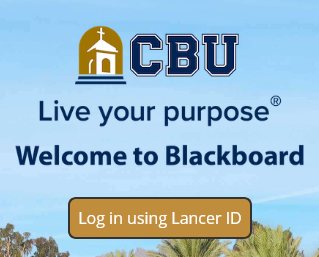
- Log in to your CBU Blackboard Account
- Make sure to use your Student Email & Password
- Click Here to visit the homepage
Step 2:
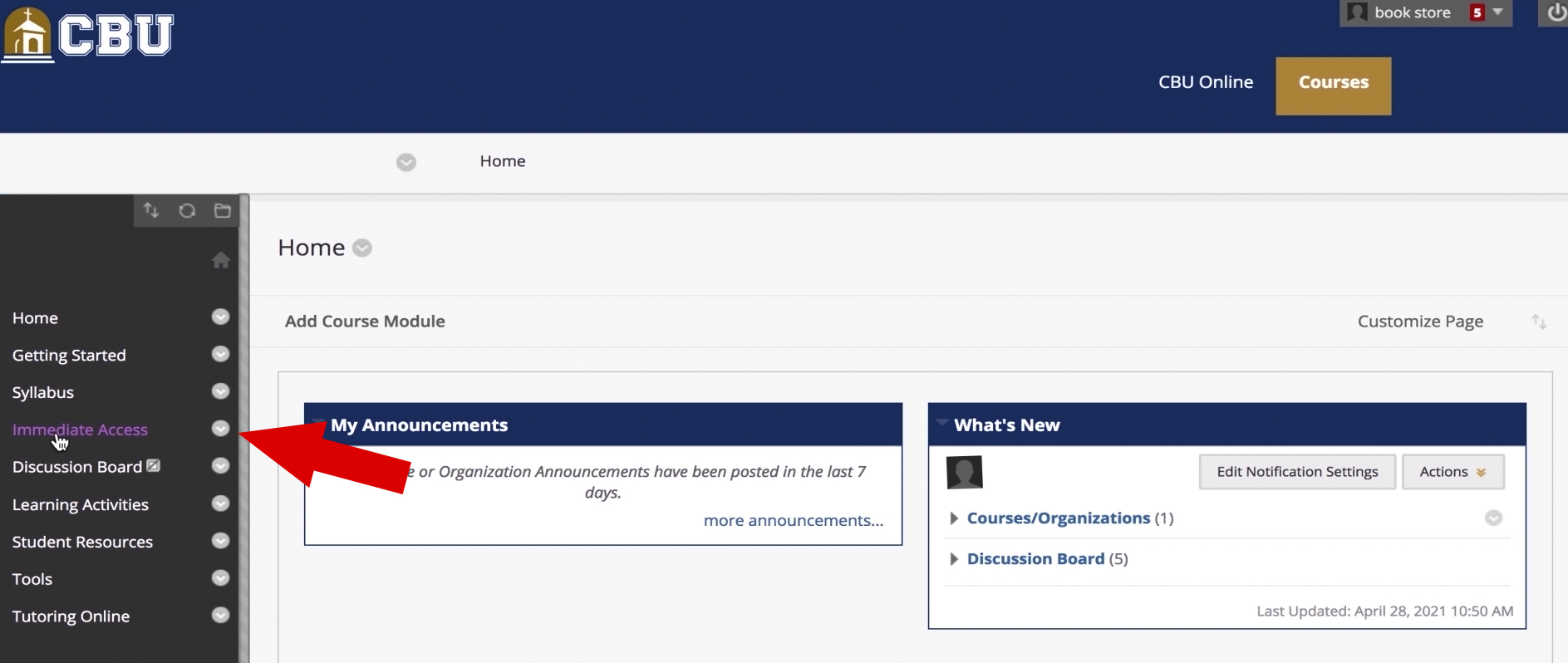
- Navigate to the Homepage of your Immediate Access Course
- Select the Immediate Access Tab within the content box on the left side of the screen
Step 3:
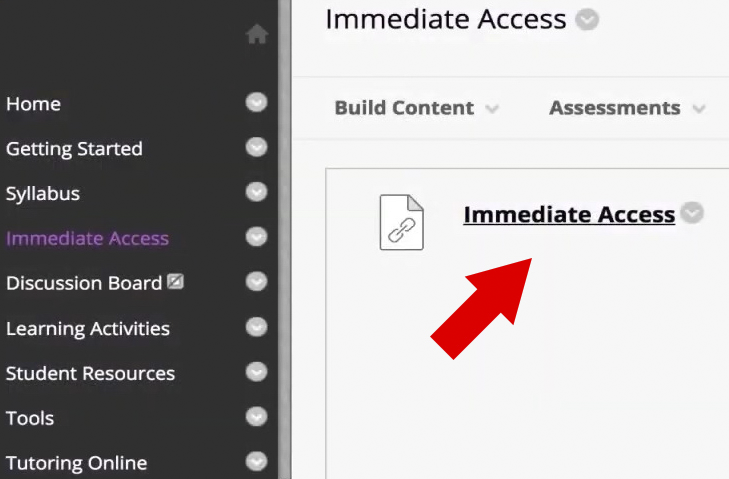
- Click on the Immediate Access Hyperlink
Step 4:
- Locate the Immediate Access Content Block(s) that you wish to Opt-Out of
- Click on the Opt-Out or Want to Opt-Out button

Step 5:
- Select the reason for opting out in the confirmation box
- After selecting your reason from the drop down menu, Click Opt Out

Step 6:
- Verify that you have opted out of the materials
- Within the IA Content Block, ensure that the red caution symbol and Opted Out is visible

Please Repeat Steps 1-6 for All Immediate Access Courses You Wish to Opt-Out
Immediate Access Canvas Opt-Out Instructions
Step 1:
- Log in to your CBU Canvas Account
- Make sure to use your Student Email & Password
Step 2:
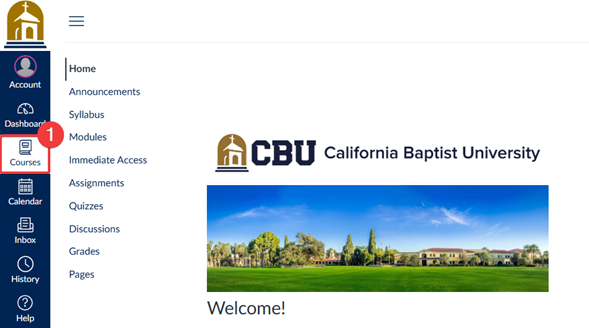
- Click Courses on the global navigation menu.
Step 3:
- Navigate to the Homepage of your course using Immediate Access.
- Click Immediate Access from the course menu on the left-hand side.
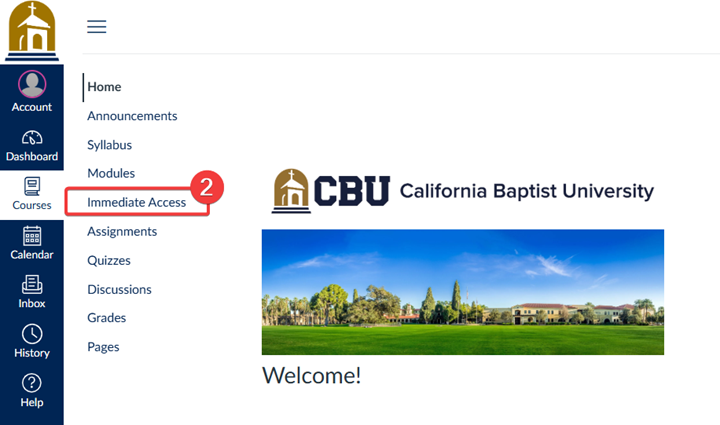
Step 4:
- Locate the Immediate Access titles(s) that you wish to Opt-Out of
- Click on the "Want to Opt-Out" button
Step 5:
- Select the reason for opting out in the confirmation box
- After selecting your reason from the drop down menu, Click Opt Out
Step 6:
- Verify that you have opted out of the materials
- Within the IA Content Block, ensure that the red caution symbol and Opted Out is visible
Please Repeat Steps 1-6 for All Immediate Access Courses You Wish to Opt-Out
If you are still having issues opting out, please send an email to [email protected]
Current Store Hours
Store hours
| Monday | 8:00AM - 5:00PM |
|---|---|
| Tuesday | 8:00AM - 5:00PM |
| Wednesday | 8:00AM - 5:00PM |
| Thursday | 8:00AM - 5:00PM |
| Friday | 8:00AM - 4:00PM |
| Saturday | CLOSED |
| Sunday | CLOSED |
-Footer-Logo.jpg)
.jpg) Lance Up! With official CBU Merchandise
Lance Up! With official CBU Merchandise